
View Taiwan Railways

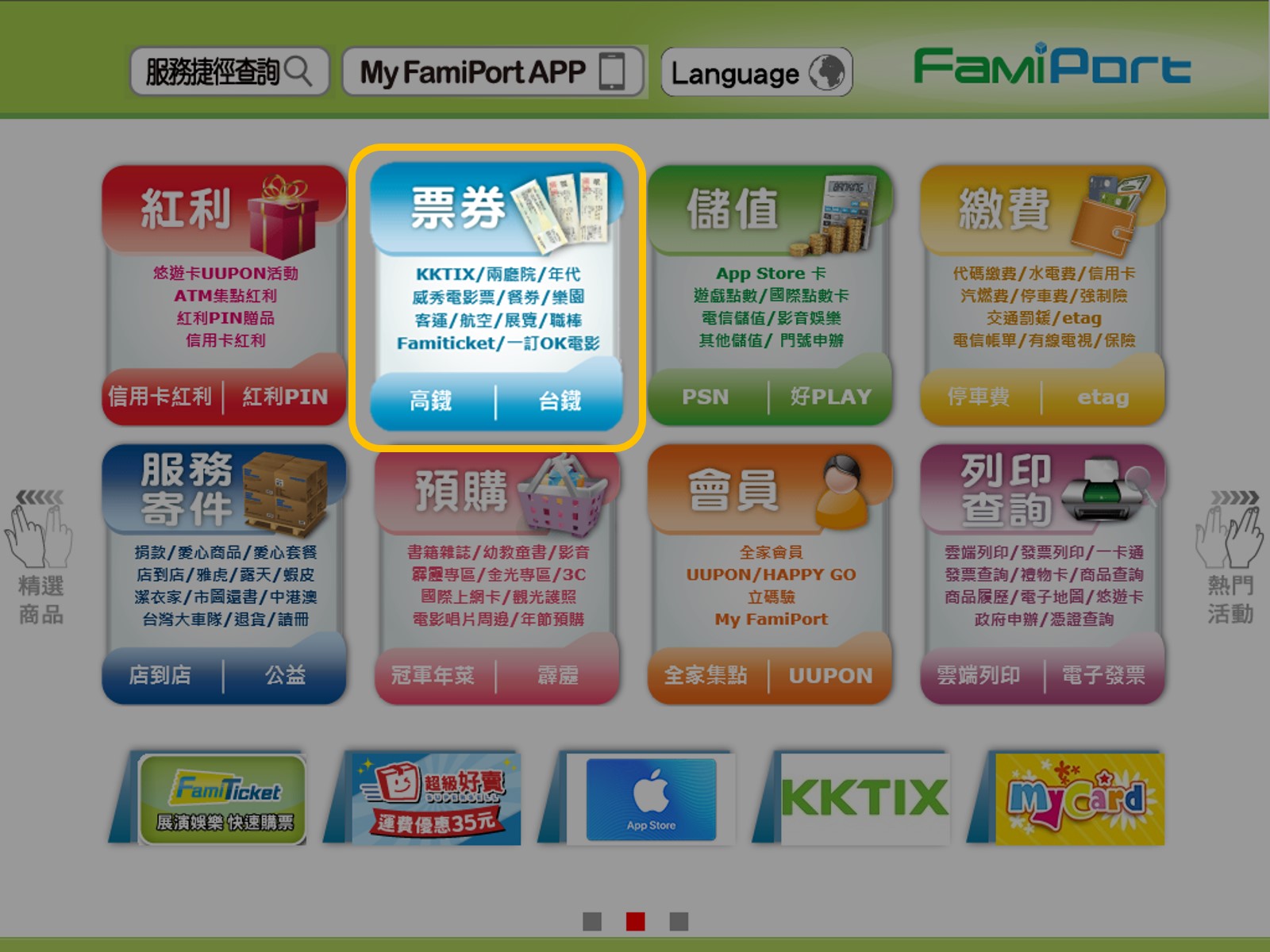
1 Select ticket
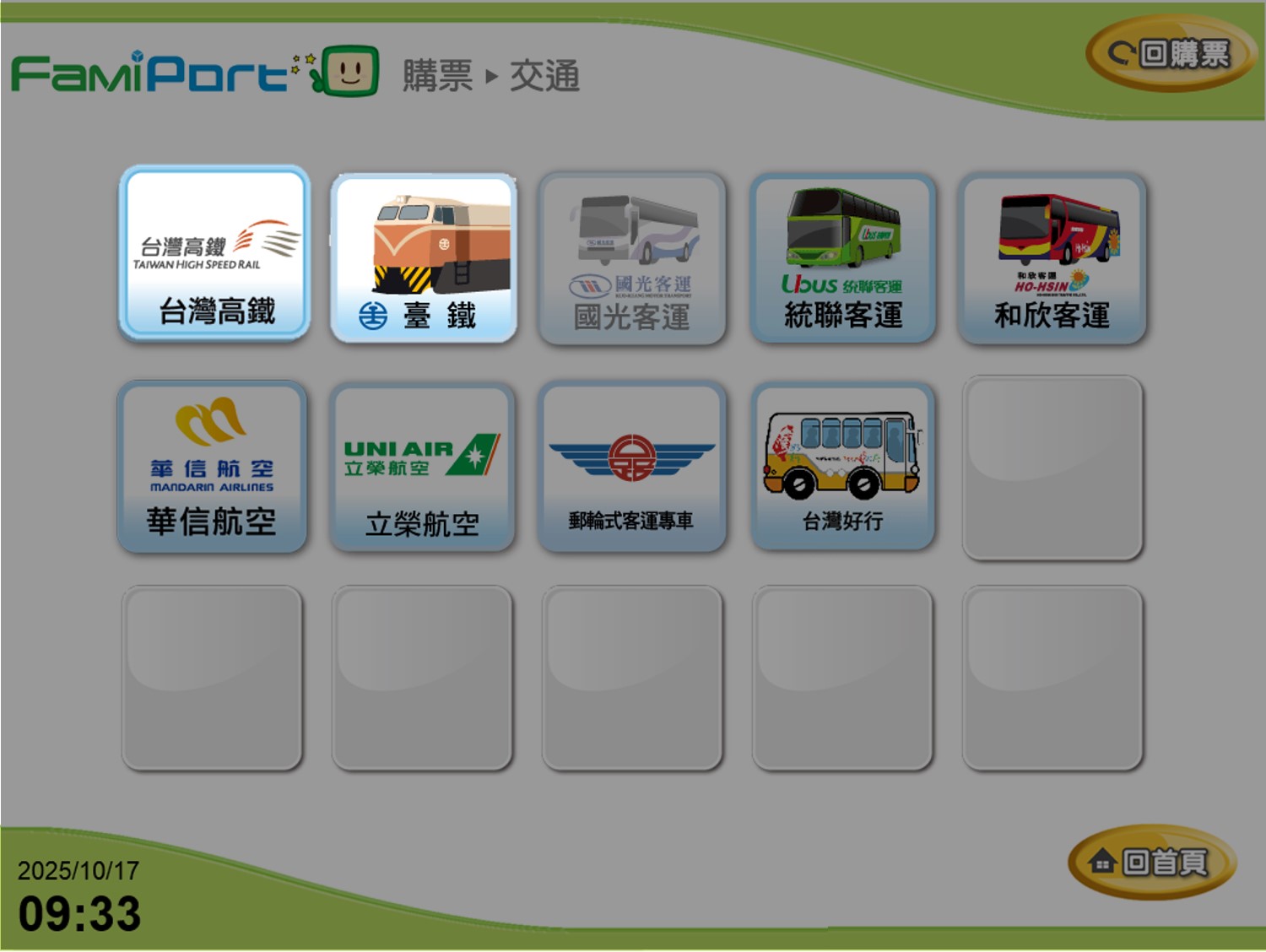
2 Select High-Speed Rail or Taiwan Railways
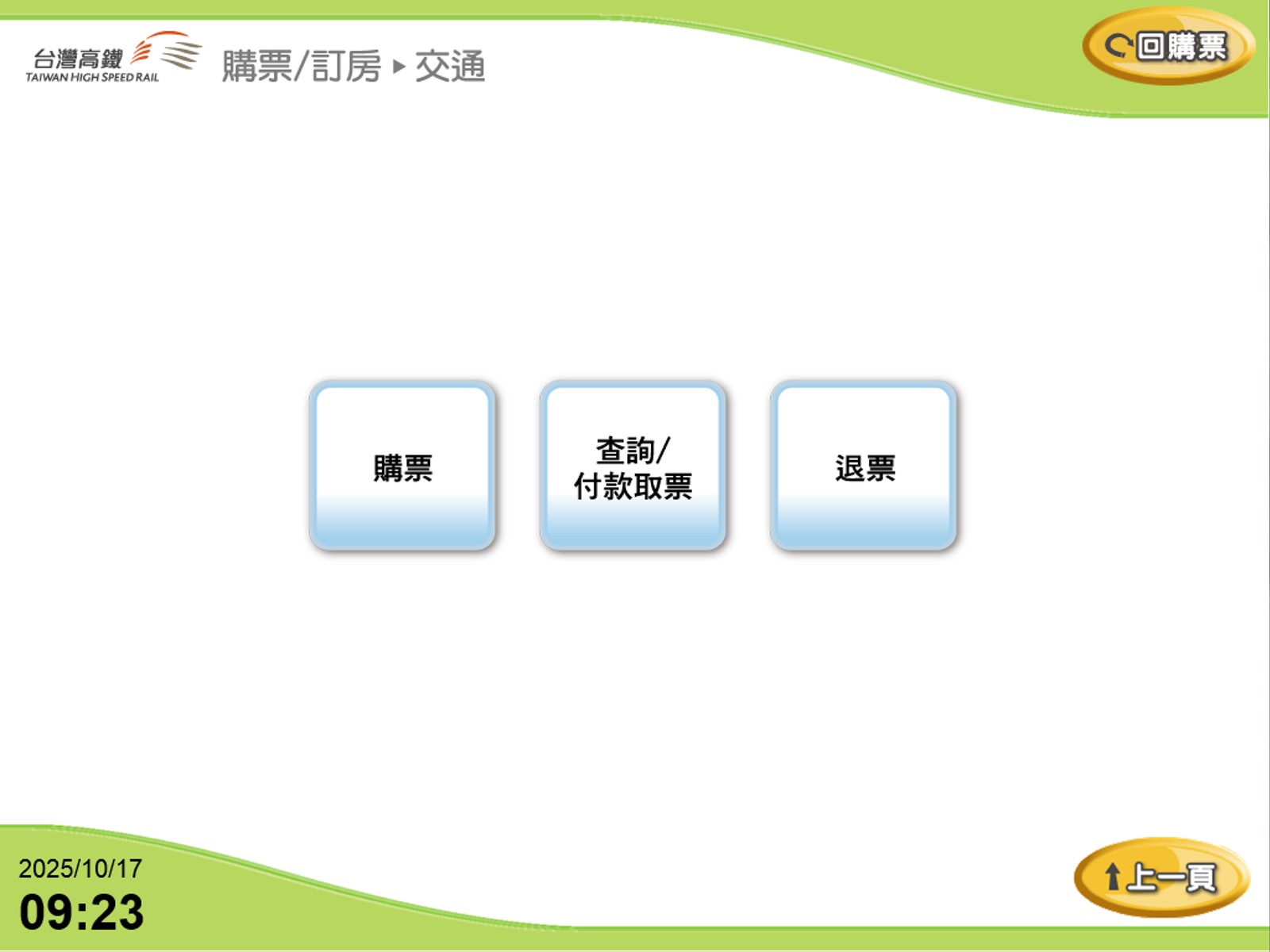
3 Select a Service: "Ticket Purchase," "Ticket Inquiry/Payment & Pickup," "Ticket Refund"
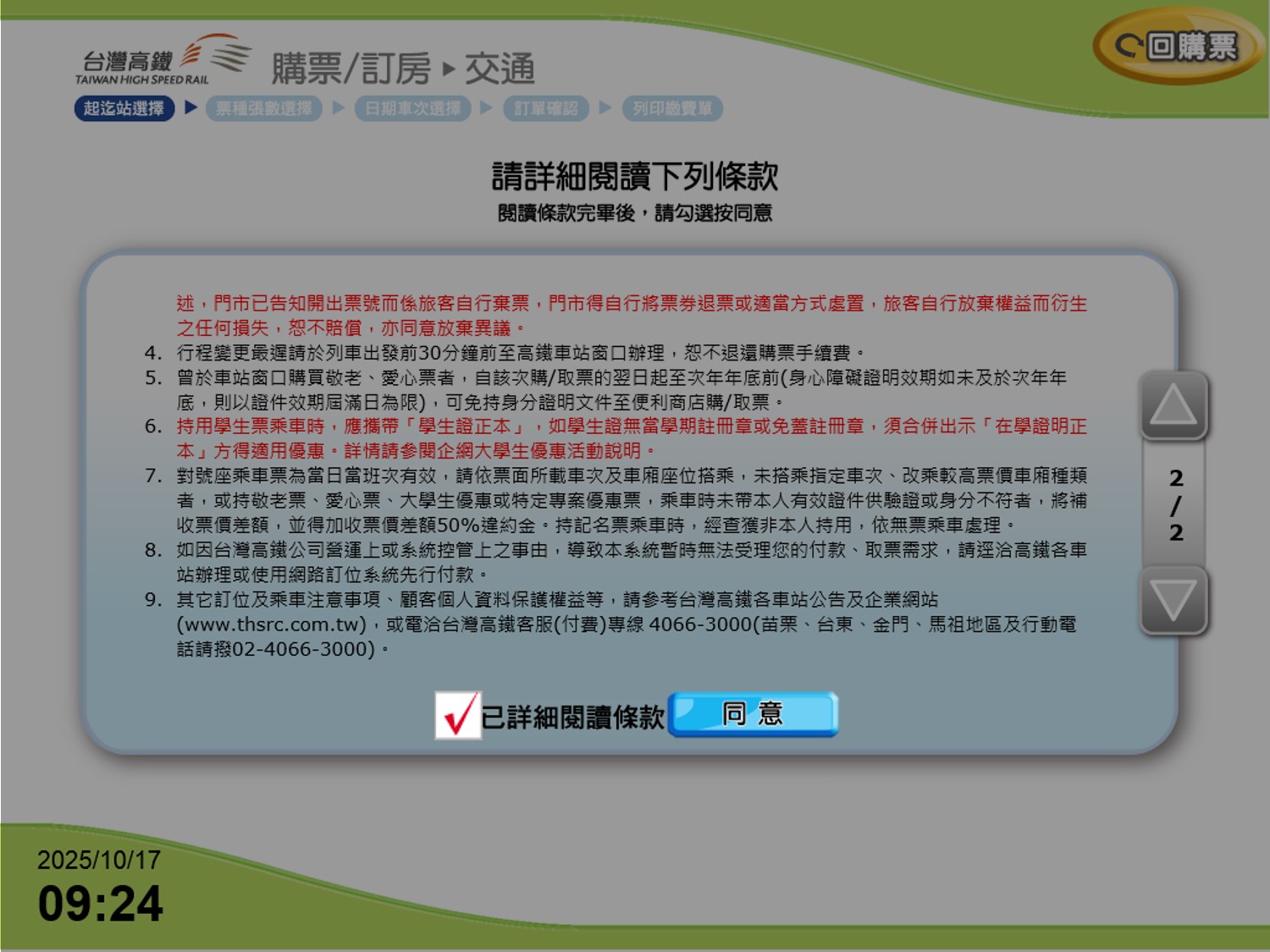
4 Service Terms Agreement: Before continuing, you must read and agree to the terms.
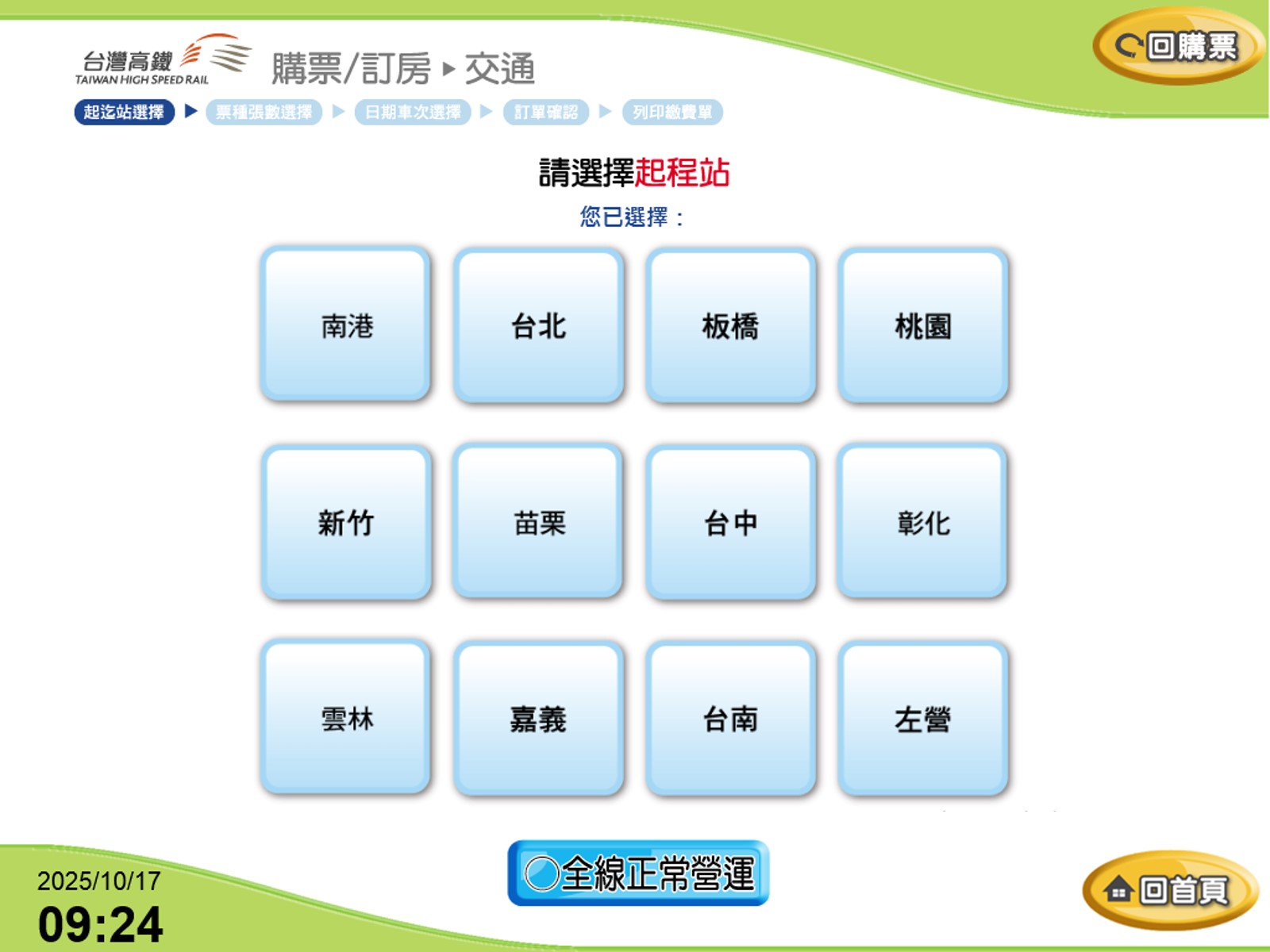
5 Select Boarding Station
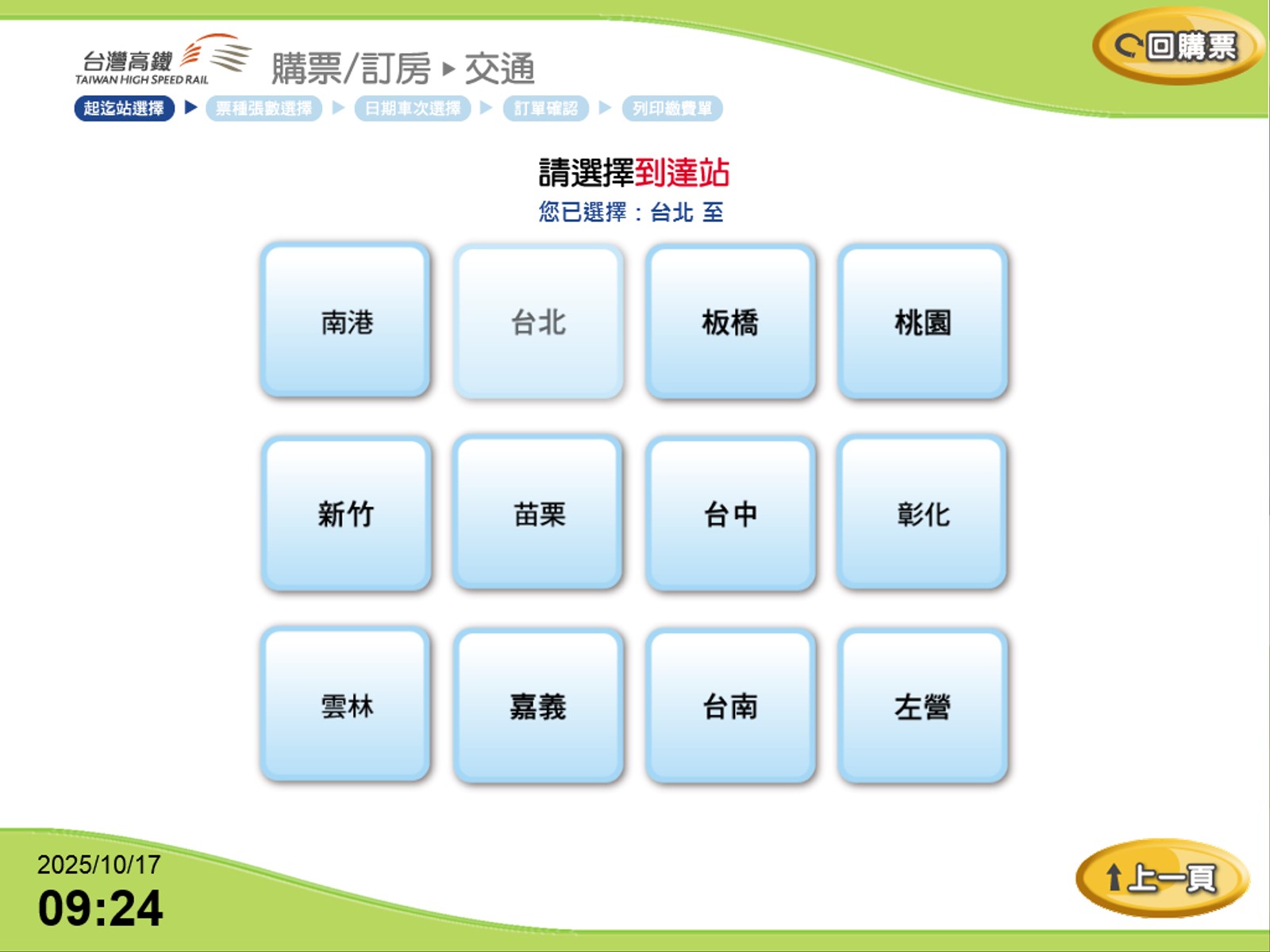
6 Select Destination Station
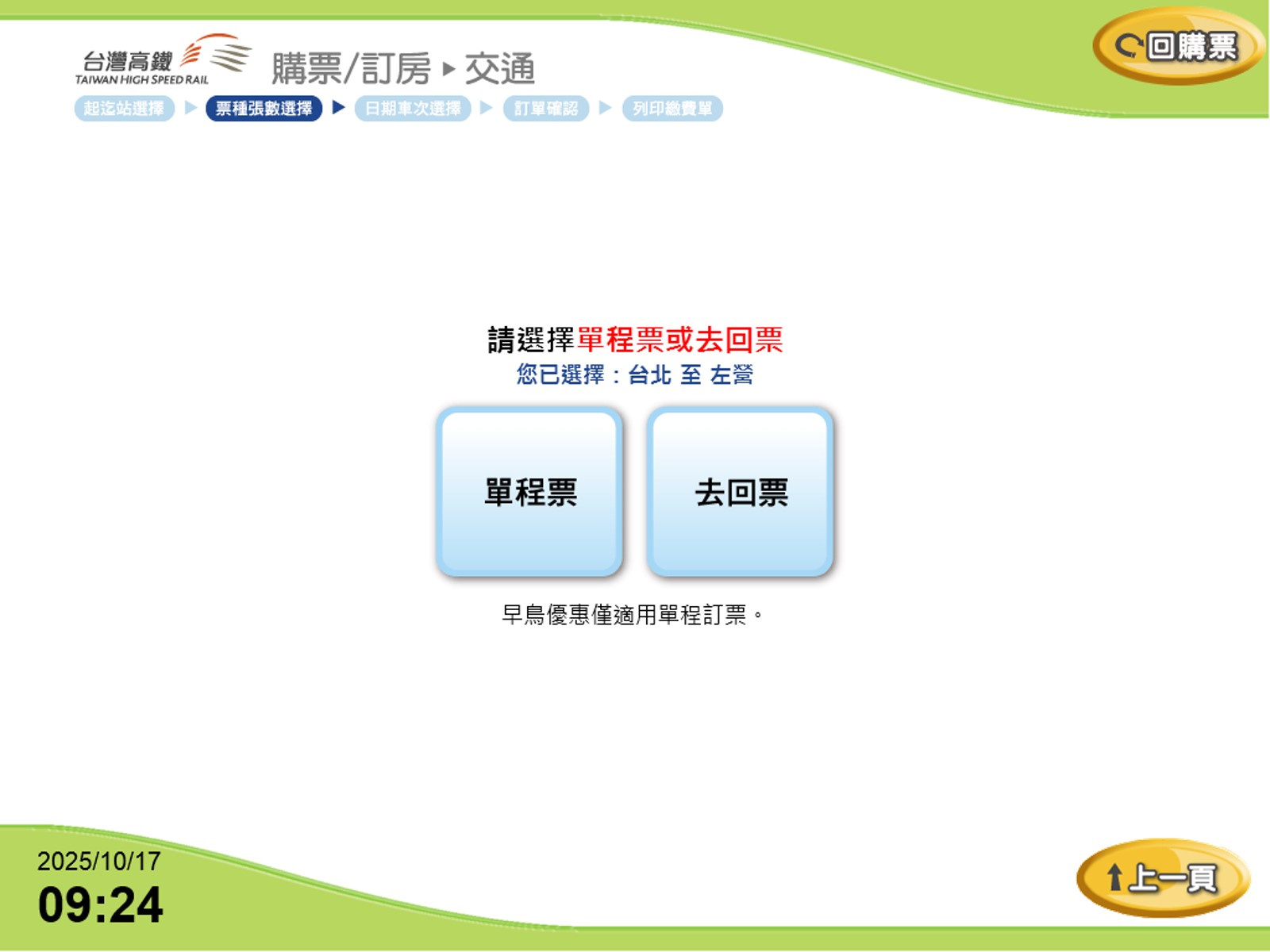
7 Select Ticket Type: "One-Way" or "Round-Trip"
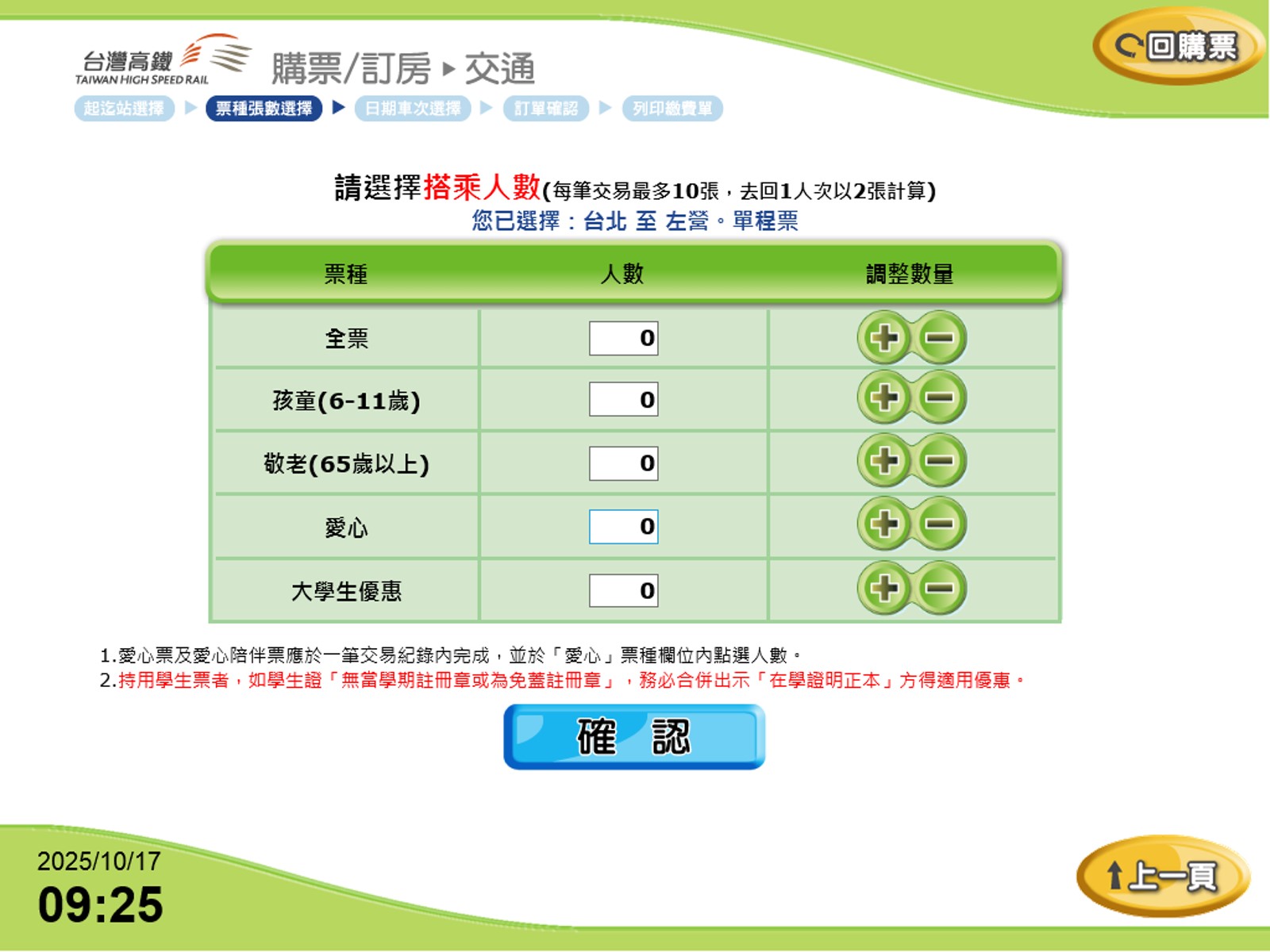
8 Select Number of Passengers and Ticket Categories (up to 10 tickets per transaction; a round trip for one passenger counts as two tickets)

*"Regular/Full Fare," "Child (6–11 years)," "Senior (65+ years)," "Disabled (with valid Taiwan
Disability ID)," "University Student Discount (with valid student ID from a Taiwan college or university)"
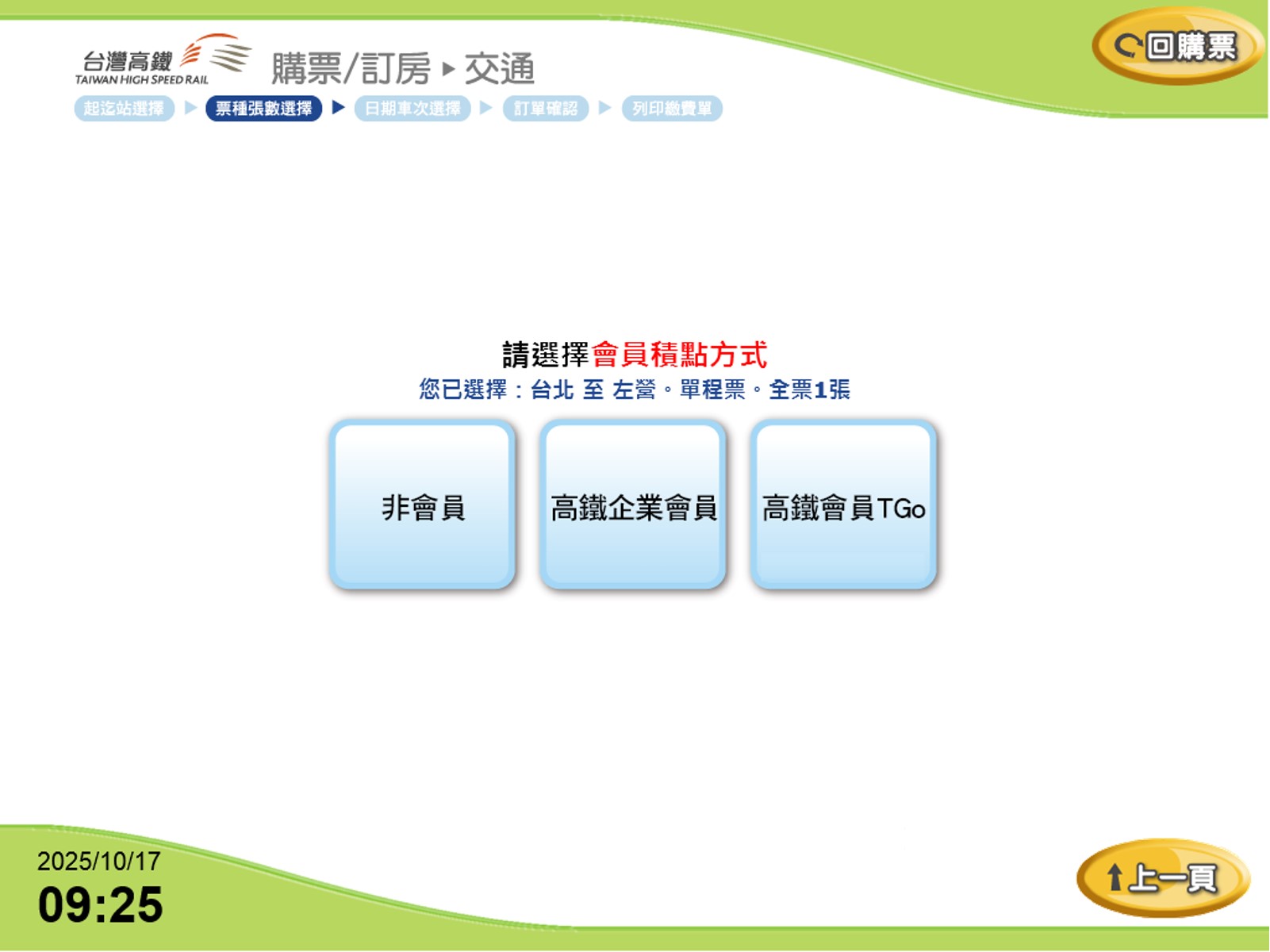
9 Select THSR Membership Type: "Non-Member," "Corporate Member," "TGo Member"
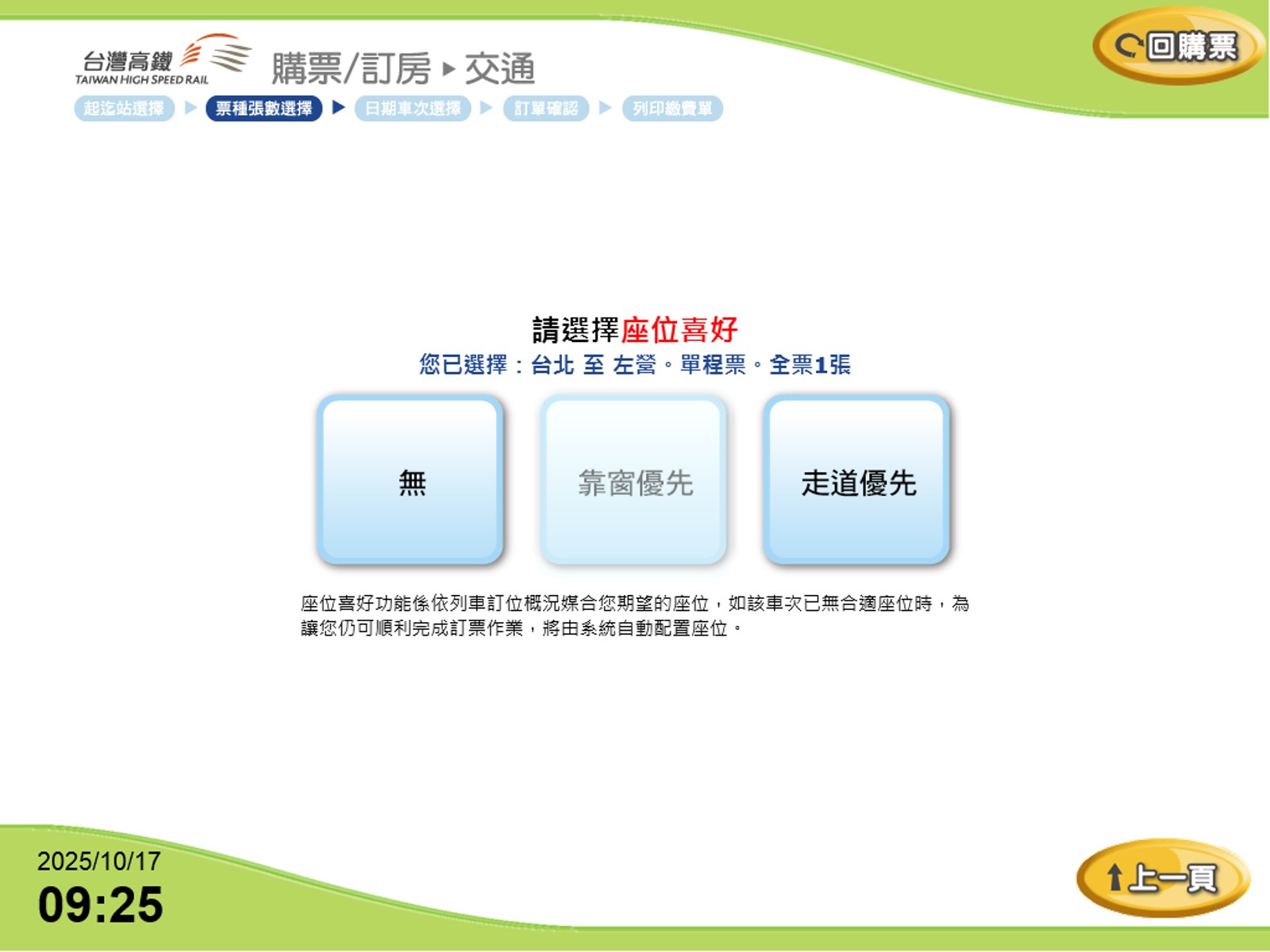
10 Choose Seat Preference: "No Preference," "Window," "Aisle"
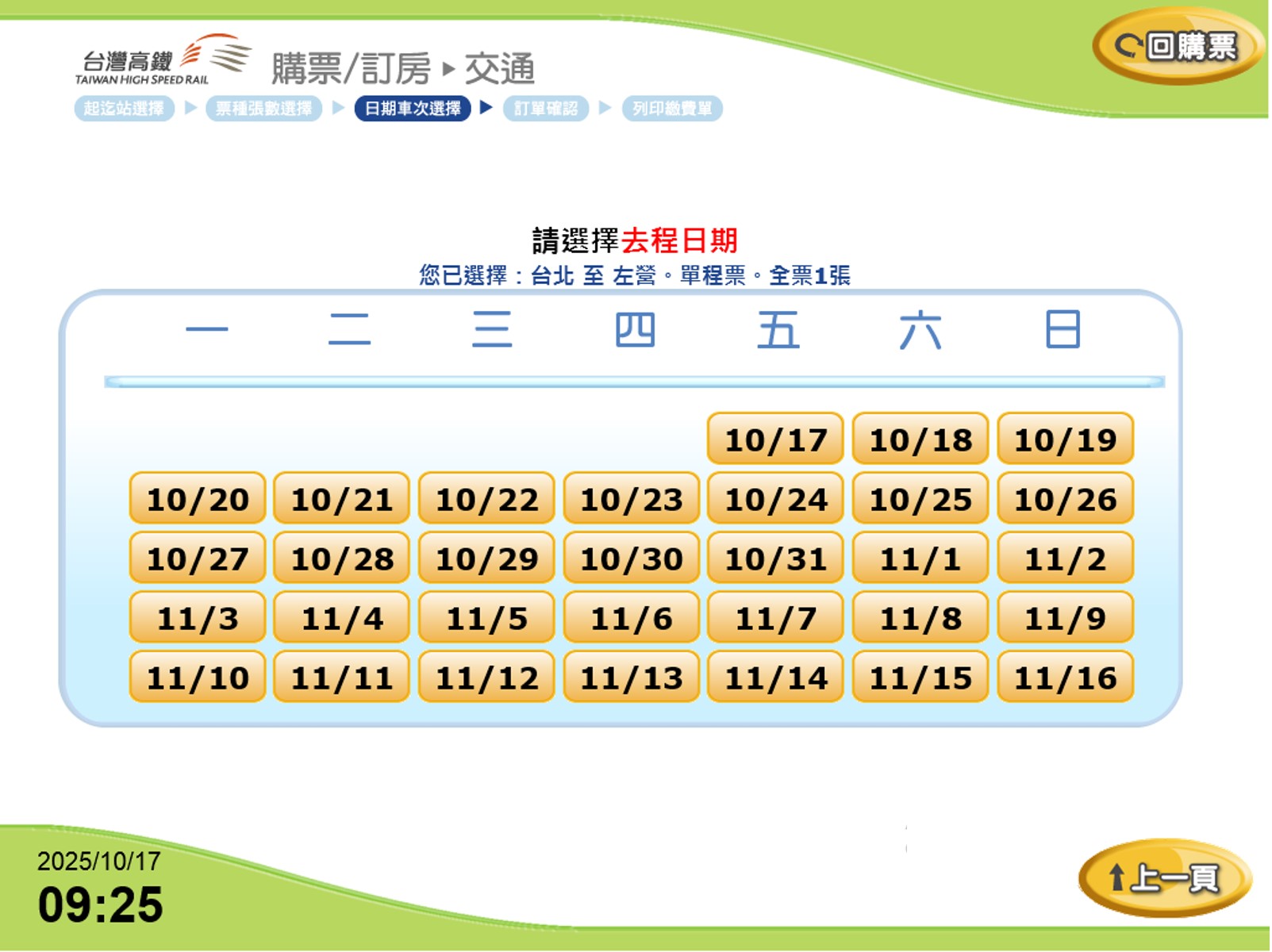
11 Select Departure Date
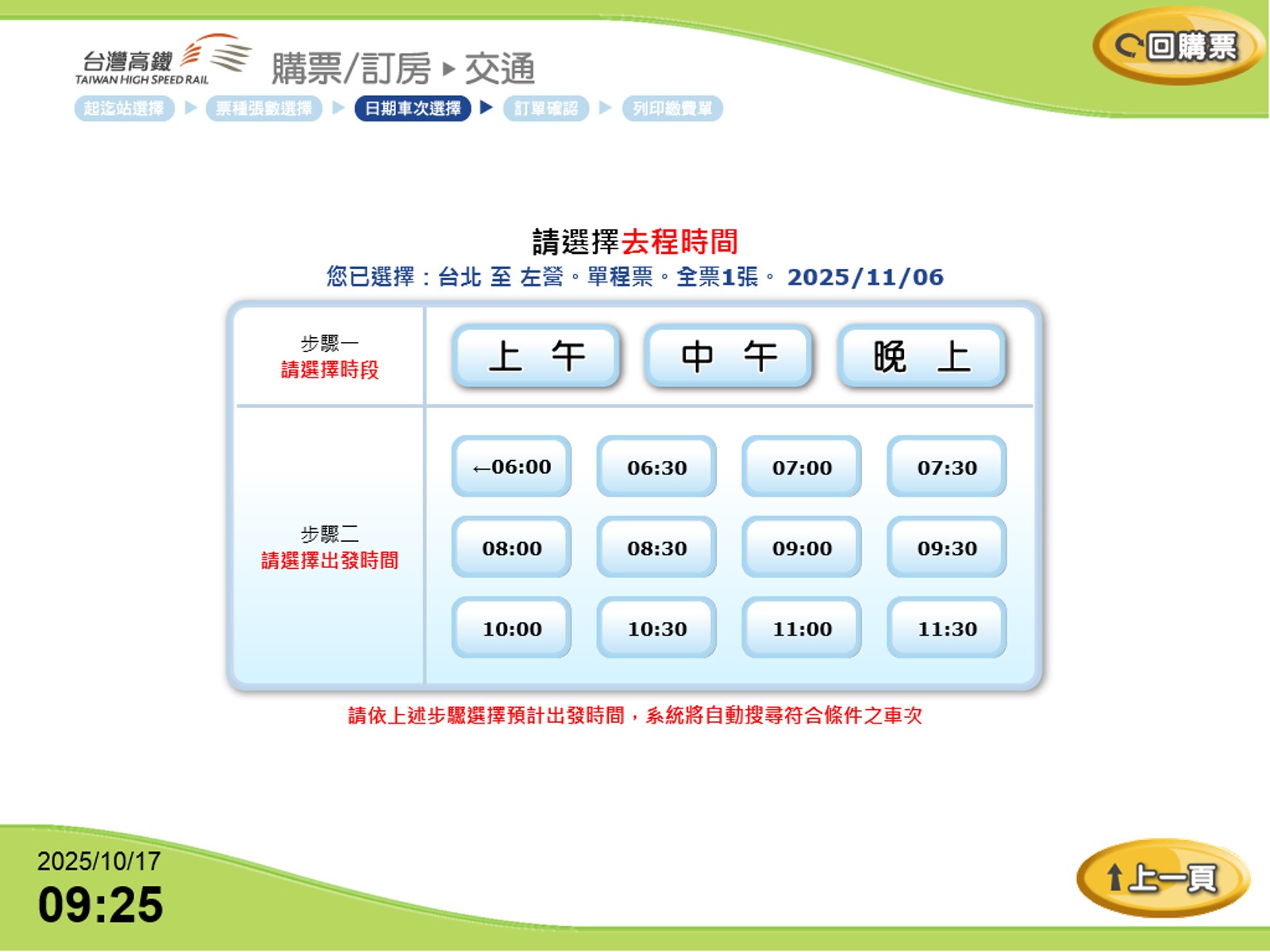
12 Select Departure Time
Step 1: Please select a time slot ; Step 2: Please select a departure time
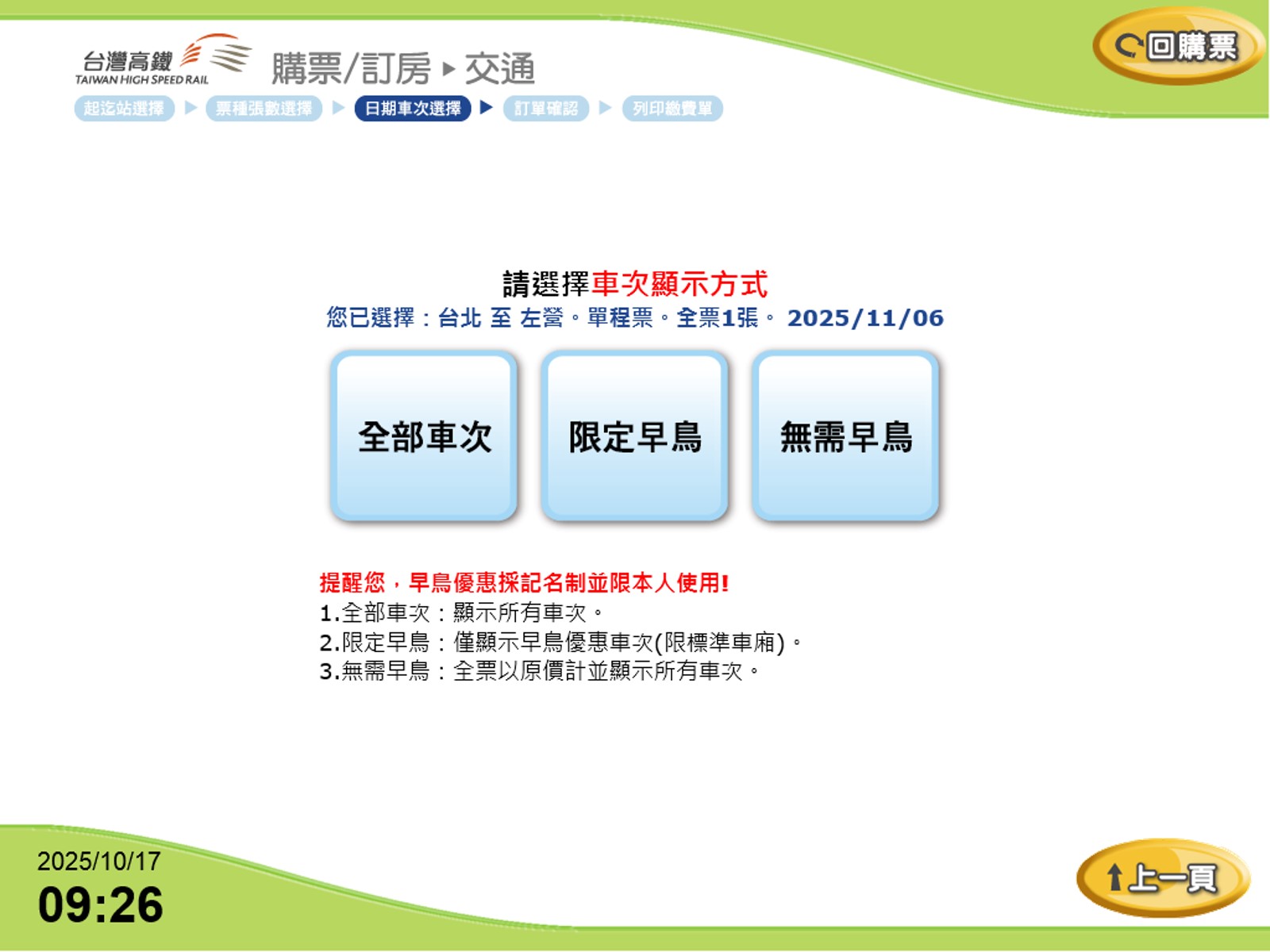
13 Display Train Options: "All Trains," "Early Bird Only," "Non-Early Bird"

*Note: Early Bird fares are name-specific and require a valid ID when boarding.
1. All Trains: Includes all train options, with and without Early Bird discounts.
2. Early Bird Only: Shows only trains offering Early Bird fares.
3. Non-Early Bird: Shows trains at regular/ full fares only.
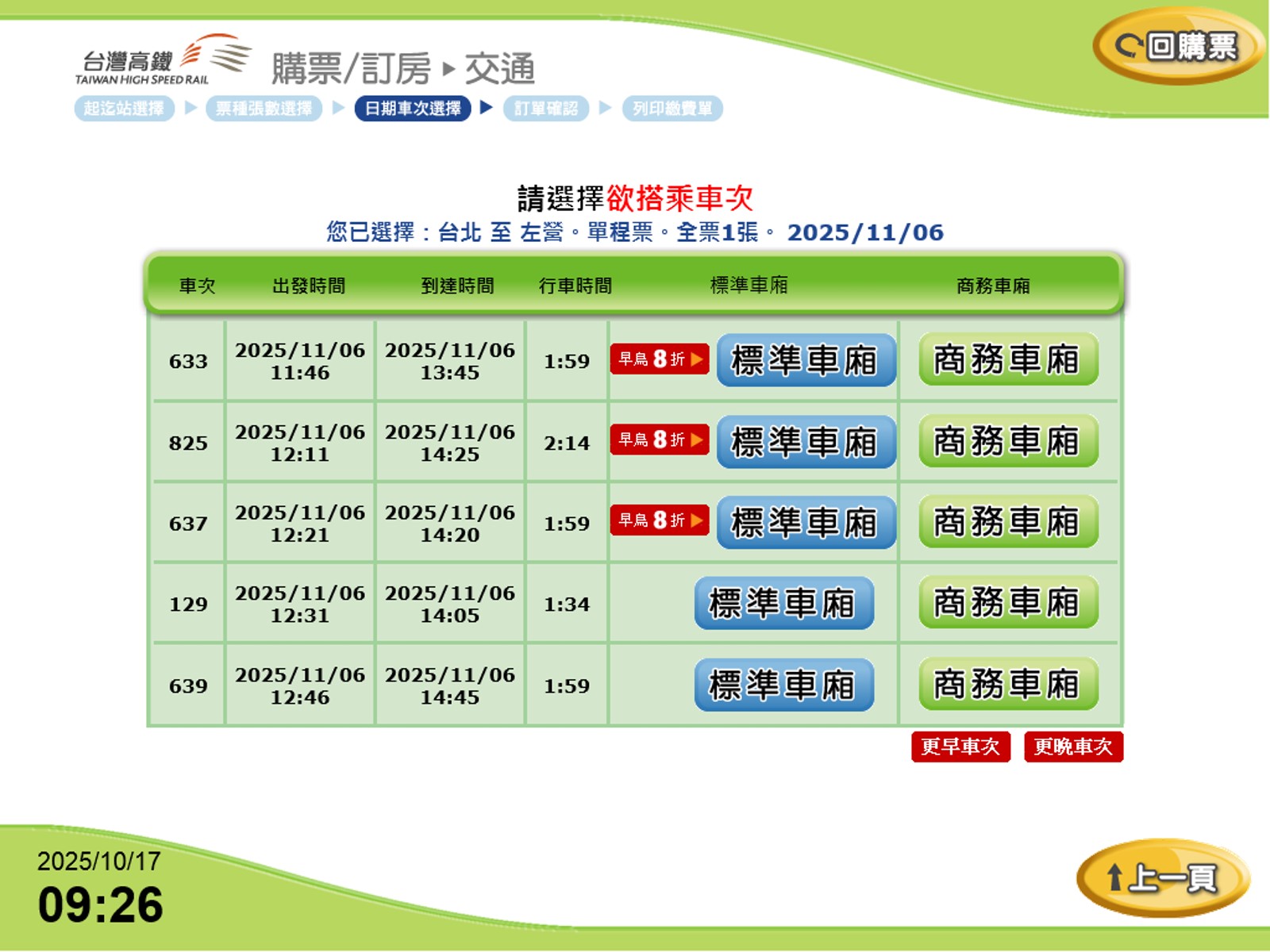
14 Select Train: Blue indicates Standard Class; Green indicates Business Class.
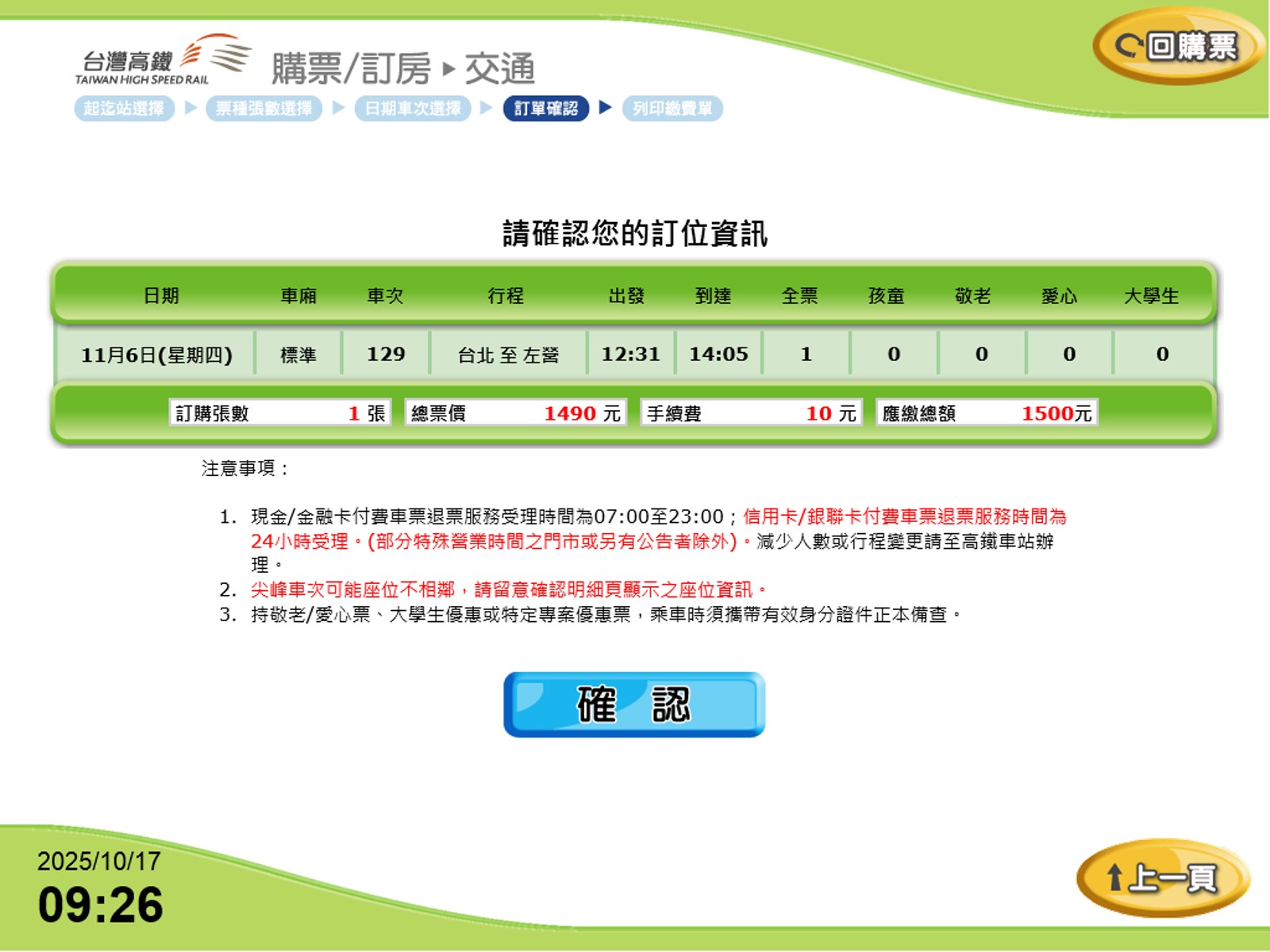
15 Confirm Reservation Details

*Important Reminders
Cash ticket refunds are available daily from 07:00 to 23:00.
Passengers using Senior, Disabled, University Student Discount, or special promotion tickets must present a valid ID when boarding.
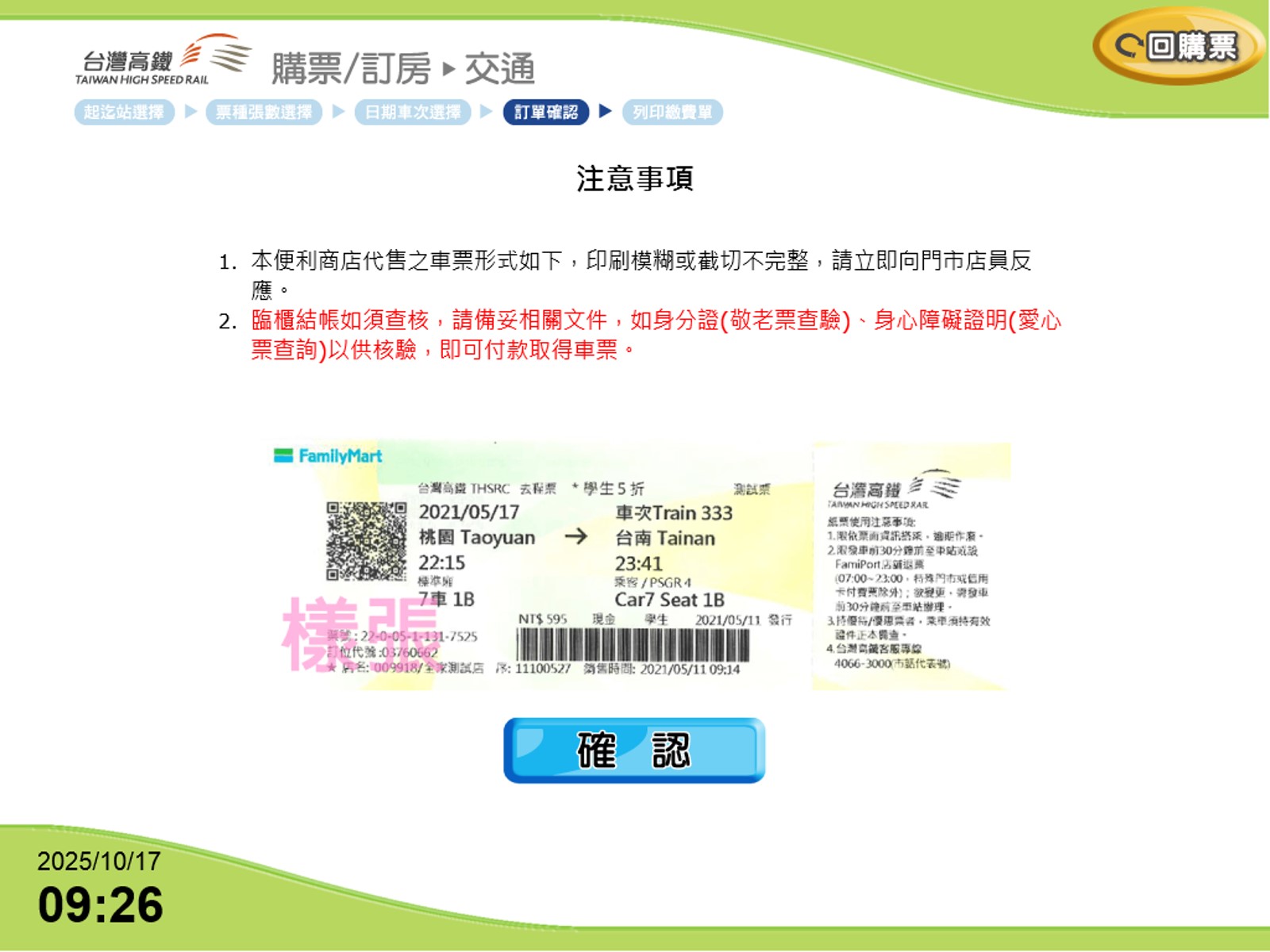
16 Important Reminders

*1.Tickets issued at convenience stores may vary in format. If the printing is blurry or the edges are improperly cut, please notify the store staff immediately.
2.If checkout requires verification, please have your ID or disability certificate ready.
17 Reservation Details:"Apply Discount Code","Print Payment Slip"

*"Apply Discount Code": A valid THSR promo code is required.
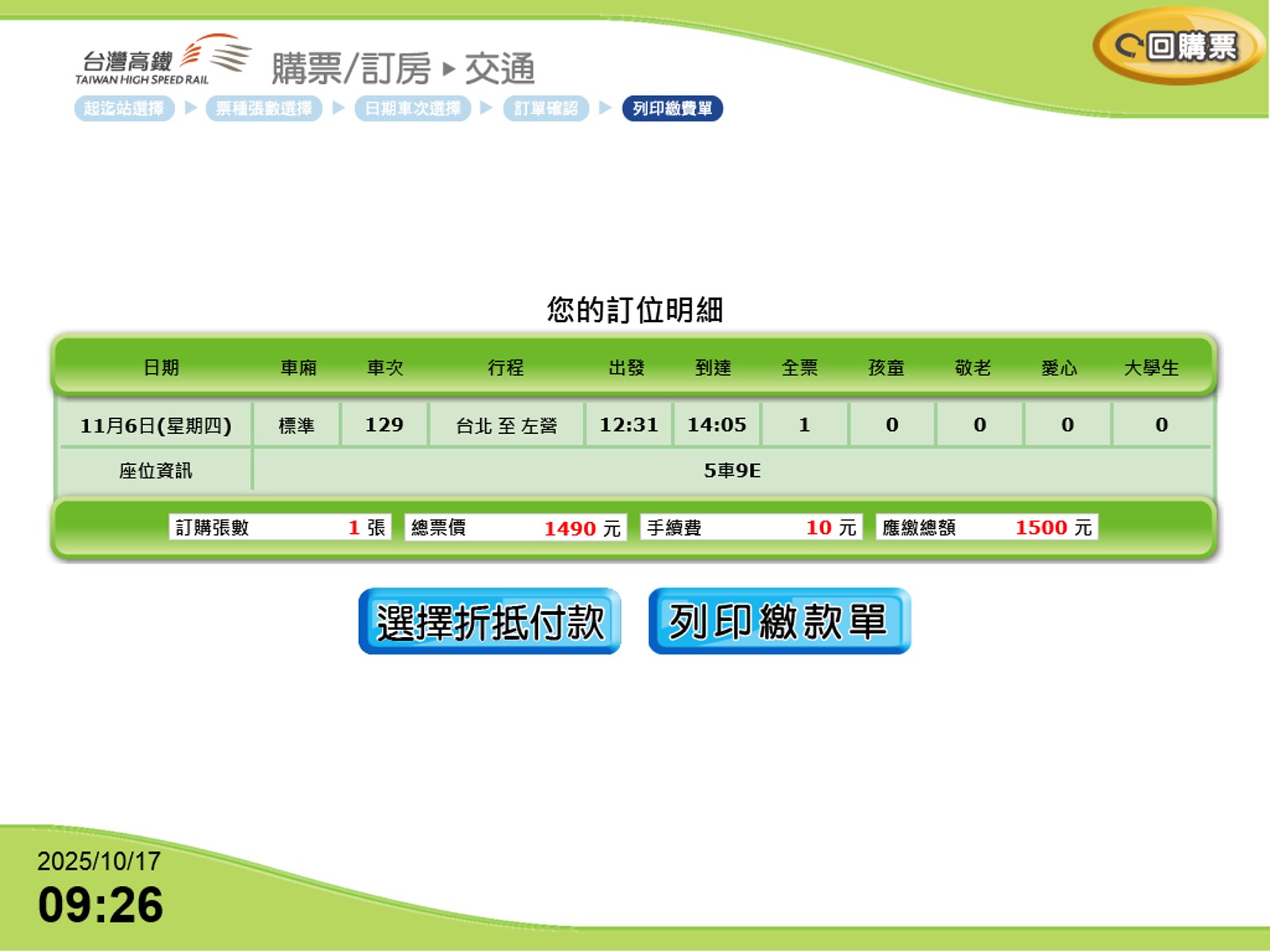
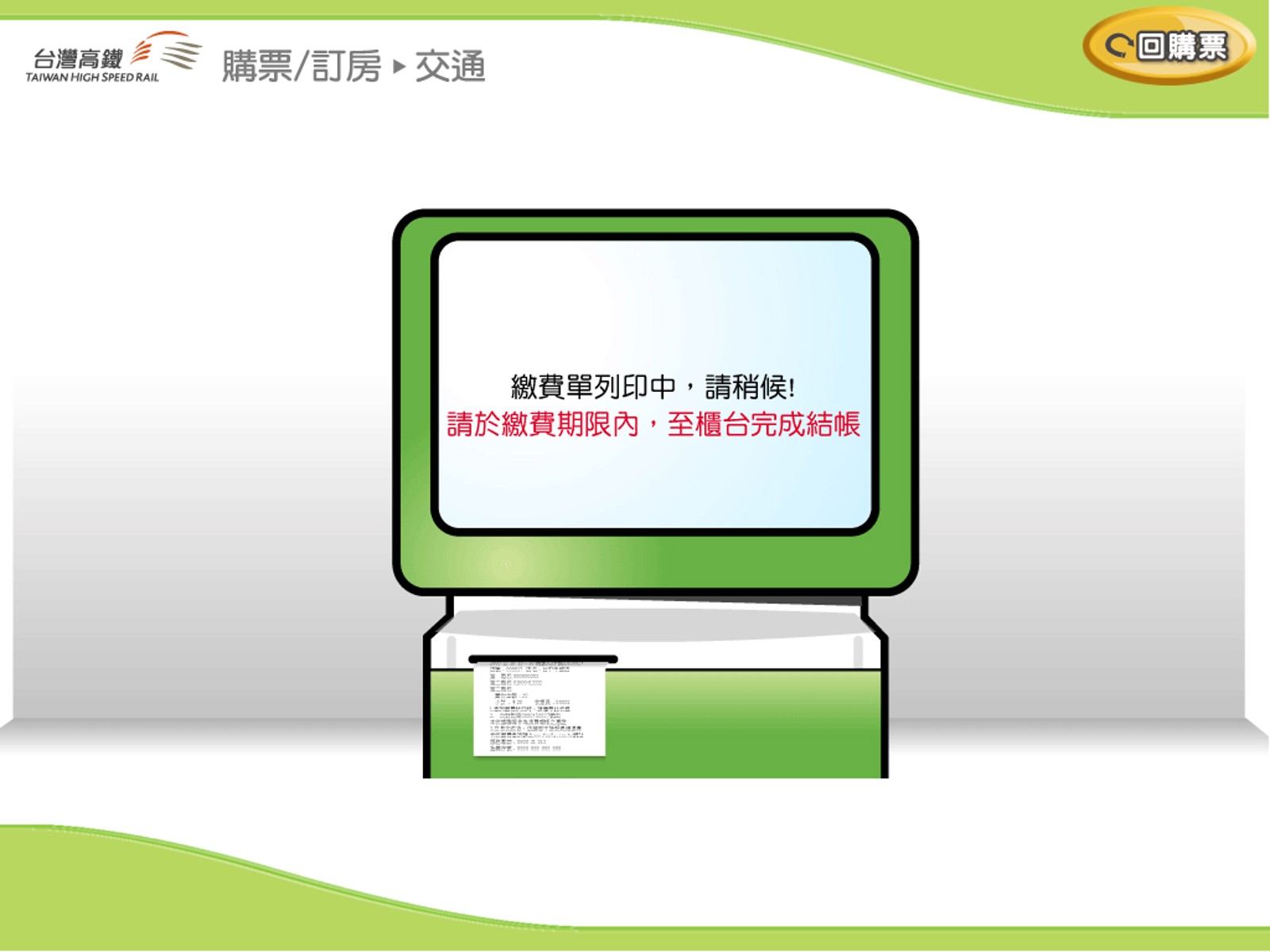
18 "Print Payment Slip": Print and complete payment at the convenience store counter.